One Sentence Prompts for Quotable Survey Feedback Testimonials for B2B

The fastest way to collect usable testimonial text is a short, targeted survey that asks one specific testimonial prompt, includes a consent checkbox, and routes high-value respondents into a follow-up verification step. This combination works because it lowers the effort barrier for the customer, gives your team a clean consent trail, and keeps the resulting quotes fresh enough to use right away. Skip the generic “any comments?” box. Ask for one thing, ask permission, and follow up fast.
TL;DR:
- Short, targeted surveys with one specific testimonial prompt and consent increase response rates and produce more usable quotes than broad questions.
- Asking for a single outcome or result in one sentence yields higher-quality responses and eases the process of turning answers into testimonials.
- Timing responses from promoters within two to four weeks after success maximizes authenticity and relevance, while consistent verification ensures quote credibility.
- Keeping testimonials fresh, relevant, and placed where prospects are close to decision-making boosts their impact; regularly retiring or updating quotes after 18 months maintains trust.
- Automating testimonial collection with verified prompts, AI-driven insights, and CRM integration streamlines scaling and sustains ongoing customer experience efforts.
Table of Contents
- Testimonial survey templates and examples you can copy today
- How question design shapes the quality of testimonial answers
- Getting better response rates and more authentic answers
- Turning survey answers into publishable testimonials
- Where to publish testimonials and how often to refresh them
- Copy-and-paste prompts, consent lines, and invite scripts
- How verification and AI matching scale a testimonial program
- Treat testimonial collection as ongoing CX work, not a campaign
- Clareefai: put your testimonial workflow on autopilot
- Sources
- FAQ
Testimonial survey templates and examples you can copy today
You don’t need a twelve-question survey to collect a great testimonial. In fact, the opposite is true: shorter, sharper prompts get you better material. Below are two templates built around different goals, one for quick quotes and one for deeper success stories.
Quick quote template (deploy right after a purchase, renewal, or support resolution, usually alongside an NPS flow):
- On a scale of 0 to 10, how likely are you to recommend us to a colleague?
- In one or two sentences, what result or change have you seen since you started using our product?
- Can we quote you by name and company in our marketing materials? (Yes, with attribution / Yes, anonymously / No)
This template works because it pairs a familiar rating question with a single, specific open-ended prompt. Respondents who score 9 or 10 are the ones most likely to hand you a quote worth publishing, so route those responses into your follow-up queue automatically.
Guided success-story template (for customers who’ve had measurable results and can support a longer case study):
- What problem were you trying to solve before you found us?
- What changed after you started using our product or service?
- What would you tell someone considering us today?
Each prompt targets a different part of the customer’s story: the before, the after, and the recommendation. That structure gives you three usable sentences instead of one vague paragraph, and it maps naturally onto a case-study format later.
A few annotation notes worth keeping in mind when you deploy either template:
- Expected length: quick-quote answers run one to two sentences; guided success-story answers run three to five sentences per question.
- Routing rule: any response scoring 9 or above on a satisfaction or NPS question should trigger an automatic tag for testimonial follow-up.
- Contact permission: always request permission to quote in the same survey, not in a separate email days later. Waiting loses momentum and drops your consent rate.
- Timing: send the quick-quote survey within days of a completed action; save the guided template for customers who’ve been active for a few months and have real outcomes to describe.
Both templates are intentionally short. A partner resource on effective survey design makes a similar point: simplicity in question structure tends to produce more usable, specific answers than open-ended surveys with no guardrails.
How question design shapes the quality of testimonial answers
The way you phrase and sequence your questions determines whether you get a usable quote or a blank box. This is where most testimonial surveys fail, not in distribution, but in the wording of the ask itself.
Open-ended questions are harder for respondents to answer than closed ones, and the data backs that up clearly. Pew Research Center found that open-ended survey questions carry a median item nonresponse rate of about 13%, and prompts that ask for multiple sentences push that nonresponse rate to a median of 17%, compared with 12 to 13% for short phrase prompts. Mobile respondents are especially sensitive to long-form entries, since typing a paragraph on a phone keyboard is its own kind of friction.

Pro Tip: Ask for a phrase or short sentence, not a paragraph. You’ll get more responses and still have enough material for a quote.
That evidence points to a clear rule: prefer targeted, specific prompts over broad ones. “What problem did we solve for you?” will outperform “Any comments?” every time, because it gives the respondent a direction instead of a blank canvas. Specific prompts also produce answers that are easier to turn into a testimonial, since the respondent has already framed their response around outcomes.
Sequencing matters too. If you want the customer’s original language rather than a version shaped by your rating scale, ask the open-ended question first, before any related closed-ended items. Asking “How satisfied are you?” before “What did you like?” primes the respondent to echo the scale’s own wording. Reverse the order when you want authentic phrasing you can quote directly.
For sensitive topics such as pricing complaints, support failures, or anything involving personal data, forced-choice closed questions tend to produce steadier, more comparable data than open text fields. Pew’s guidance on writing survey questions notes that forced-choice formats often yield more accurate results than open or select-all formats, particularly on topics where respondents might otherwise give vague or evasive answers.
Statistic callout: Open-ended prompts asking for multiple sentences show a median nonresponse rate of 17%, compared to 12 to 13% for short phrase prompts. That gap is the difference between a testimonial survey that gets answered and one that gets abandoned halfway through.
A short list of question-design rules worth keeping on hand:
- Ask for one specific outcome, not a general opinion.
- Keep open-ended prompts to a single sentence request.
- Place the open-ended question before related rating questions when original language matters.
- Use forced-choice formats for anything sensitive or comparative.
Getting better response rates and more authentic answers
Who you ask and when you ask them matters as much as how you phrase the question. Survey the wrong customer at the wrong moment and even a well-written prompt will underperform.
Start with your promoters. Customers who scored 9 or 10 on an NPS survey, or who recently completed a successful project, renewal, or support resolution, are your best candidates for testimonial requests. The ideal window sits between two and four weeks after that success, close enough that the details are fresh, far enough that the customer has had time to see results.
- Segment by recent success, not just tenure. A five-year customer who’s had a rocky quarter is a worse candidate than a three-month customer with a clean win.
- Time your invites to the moment right after a positive interaction, whether that’s a support ticket closed well or a renewal signed.
- Test incentive size carefully: a small gift card or account credit can lift response rates, but anything too large risks biasing the language toward exaggerated praise.
- A/B test channel and timing, comparing email invites against in-app prompts to see which produces more complete, higher-quality answers for your audience.
Not every response you collect will be usable, and some won’t even be genuine. Pew’s research on open-ended survey quality found that answers that don’t match the question asked are concentrated in opt-in polls, the same format most testimonial surveys use. Watch for these signals:
- Repeated or identical phrasing across multiple respondents, which can indicate copy-paste or bot activity.
- Answers that don’t address the question asked, a pattern that shows up more often in open, self-selected samples.
- Unusually short, generic responses like “great service” with no specific detail.
When you spot a questionable response, a quick follow-up email confirming the details, plus a metadata check on time-on-question and device type, is usually enough to separate a real customer from noise. Build a quarterly testimonial audit into your calendar to retire stale quotes and re-verify anything that looks off before it goes live.
Turning survey answers into publishable testimonials
A raw survey response isn’t a testimonial yet. It becomes one through a short, repeatable process: consent, verification, light editing, and approval.
Start with consent language built directly into the survey, something as simple as: “May we feature your feedback, with your name and company, in our marketing materials? Yes, with attribution / Yes, anonymously / No.” Store that consent record alongside the response itself, tied to a timestamp and the respondent’s contact details, so you can produce it later if a customer asks how their words are being used.
Before anything goes live, run it through a short verification checklist:
- Confirm the person’s identity and current role at the company.
- Confirm the context: what product, plan, or interaction the feedback refers to.
- Confirm the outcome mentioned is accurate and still true.
Pro Tip: Never publish a quote without confirming the outcome is still current. A testimonial about a discontinued feature undermines the person quoted and your credibility.
Light editing is fine, heavy rewriting isn’t. Fix grammar and trim filler words, but preserve the customer’s actual phrasing and always send edited quotes back for a quick approval before publishing. A step-by-step verification process can help standardize this across a larger team.
Once verified, a single survey answer can do more than sit on a testimonials page. Repurpose it as a pull quote, expand it into a short case study, or use it as the opening ask for a video testimonial request.
Where to publish testimonials and how often to refresh them
Collecting a great testimonial is only half the job. Where you put it, and how recently it was collected, determines how much it actually moves a buying decision.
Prioritize placements where a prospect is already close to deciding: product pages, pricing pages, sales decks, demo follow-up emails, and case study pages. A quote sitting only on a dedicated testimonials page that nobody visits does far less work than the same quote embedded next to a pricing table.
Freshness matters more than most marketing teams assume. Guidance from CX Network on review trends recommends treating testimonials older than roughly 18 months as potentially stale and running quarterly audits to catch outdated claims or discontinued features before they undermine trust.

Statistic callout: Industry guidance recommends retiring or re-collecting testimonials older than about 18 months, since buyers increasingly weigh how recent a piece of social proof is, not just what it says.
A practical distribution and refresh checklist:
- Sync new testimonials automatically into your CRM so sales reps can pull the right quote for the right deal stage.
- Rotate homepage and landing page quotes quarterly instead of leaving the same three testimonials up for years.
- Track which testimonials get clicked, viewed, or referenced in closed deals, and retire the ones that never get used.
Tying testimonial placement to CRM and analytics data lets you see which quotes are actually influencing pipeline, not just which ones look good on a page. A testimonial collection checklist can help formalize this into a recurring process rather than a one-time project.
Copy-and-paste prompts, consent lines, and invite scripts
Here are scripts you can adapt directly into your survey tool, email platform, or in-app messaging.
- Quick quote prompt: “In one sentence, what result have you seen since working with us?” followed by the consent checkbox: “Yes, you can quote me with my name and company / Yes, but keep me anonymous / No, please don’t use my feedback.”
- Guided three-prompt script: “What was the problem before us? What changed after? What would you tell a colleague considering us?” Use these as three separate fields, not one combined box.
- Post-purchase invite email subject line: “Got 60 seconds? We’d love your take.” Body: one sentence explaining why you’re asking, then the direct survey link.
- In-app microcopy: “Loving the results? Tell us in one sentence, it takes less than a minute.”
A few phrasing comparisons worth keeping close:
- Poor: “Any feedback for us?” Good: “What problem did we solve for you?”
- Poor: “Rate your experience.” Good: “What’s one thing that made the biggest difference for your team?”
- Poor: “Tell us about your experience in detail.” Good: “In one sentence, what changed after you started using us?”
For ready-made email sequences built around this exact structure, a set of testimonial request email templates can save you the work of drafting from scratch.
How verification and AI matching scale a testimonial program
Manually chasing, verifying, and formatting testimonials works at small volume, but it breaks down once you’re running multiple product lines or sales teams. The platform addresses that gap by verifying and contextualizing testimonials before publication, so each quote carries a confirmed identity and outcome rather than an anonymous claim.
- AI-driven promoter identification flags which customers are most likely to give a strong testimonial, so your team follows up with the right people first.
- Dashboards map testimonials to specific sales stages, showing which quotes are actually influencing deals.
- GDPR-compliant data handling keeps consent records and customer details secure as your library of testimonials grows.
Treat testimonial collection as ongoing CX work, not a campaign
Most teams treat testimonial collection like a one-off project: a push before a launch, then silence for a year. That’s backward. The companies with the strongest social proof run collection continuously, tied to actual CX metrics like NPS and renewal timing, not to a marketing calendar. Try this: pick your next ten renewal conversations and add one specific testimonial prompt to each.
— ClareefAi
Clareefai: put your testimonial workflow on autopilot
You’ve got the templates, the question design rules, and the verification checklist. Clareefai brings them together in one platform, matching promoters automatically, verifying identities and outcomes, and syncing published testimonials across your CRM and sales collateral without manual chasing.
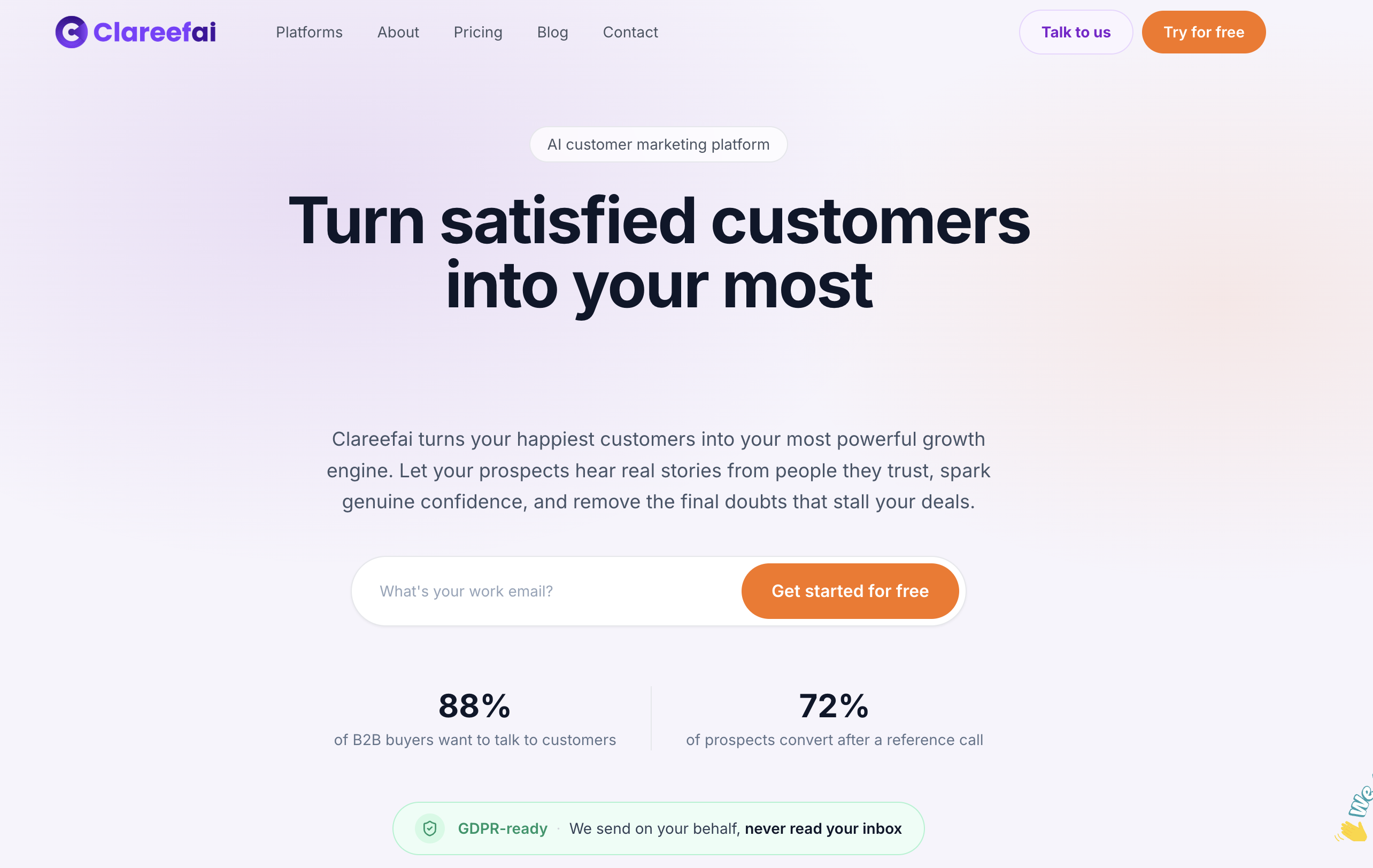
Plans start at Basic, Professional, and Enterprise tiers with a free plan also available. Compare features and find your fit on the Clareefai pricing page.
Sources
- Why do some open-ended survey questions result in higher item nonresponse rates than others? | Pew Research Center
- How online review trends reveal what customers expect from brands | CX Network
FAQ
What is an example of a good testimonial?
A good testimonial names a specific problem, a specific result, and reads like something a real person would actually say, such as “We cut onboarding time in half after switching, and support tickets dropped the first month.” Vague praise like “great product, highly recommend” doesn’t give a prospect anything concrete to weigh.
What is the difference between testimonial and feedback?
Feedback is any customer input, positive, negative, or neutral, usually collected to improve a product or service. A testimonial is a specific piece of feedback, typically positive, that the customer has agreed to let you publish publicly with attribution.
What are five star positive review examples?
Strong five-star reviews usually mention a specific outcome, a timeframe, and sometimes a feature that made the difference, such as “Implementation took under a week and our team was fully onboarded by day ten.” The best ones read as specific and personal rather than generic praise.
Can you provide some examples of good survey comments?
Strong survey comments are short, specific, and tied to a result, like “Support resolved our issue in under an hour” or “The reporting feature saved us hours every week.” Comments like these work well as testimonials because they name a concrete detail rather than a general opinion.
Recommended
Share Article
Stay Updated
Get the latest insights on customer advocacy and SaaS growth delivered to your inbox.