9 Video Testimonial Questions That Convert Prospects Fast
Ask these six questions and you’ll walk away with usable footage: What made you start looking for a solution like this? What almost stopped you from choosing us? What changed in your day-to-day once you started using it? Can you put a number on the result, whether that’s hours saved, revenue gained, or a percentage improvement? What surprised you most about the process? And who would you tell to try this?
That’s the core set. Send them to your customer 48 hours ahead, ask each one as an open prompt, and you’ll have a story arc instead of a pile of disconnected soundbites. HubSpot and Wyzowl both recommend sending the list in advance so the customer can gather real numbers instead of guessing on camera.
- What made you start looking for a solution like ours?
- What almost stopped you from moving forward?
- What changed in your workflow once you started using it?
- What’s the specific result, in numbers or time saved?
- What surprised you about working with us?
- Who would you recommend this to, and why?
- (Optional) What would you tell someone still on the fence?
- (Optional) What’s one thing you wish you’d known sooner?
Pro Tip: Ask for a specific timeframe with every result question — vague praise like “it saved us time” edits into filler, while a specific, detailed example edits into a hero clip.
Key Takeaways
The strongest video testimonials come from six to eight open-ended questions covering background, problem, decision, implementation, measurable results, and recommendation.
| Point | Details |
|---|---|
| Send questions in advance | Give customers 48 hours or more to gather real numbers instead of improvising on camera. |
| Structure the interview in six stages | Cover background, problem, decision, implementation, results, and recommendation for a full arc. |
| Ask open, not leading, questions | Replace yes/no phrasing with prompts that invite a specific story or number. |
| Get consent and disclosure right | Use a signed release form and follow FTC guidance when compensation is involved. |
| Plan for repurposing before recording | Capture extra b-roll and product screens so one shoot yields a hero video, social clips, and quote cards. |
| Scale verification with Clareefai | Clareefai automates promoter identification, release tracking, and multi-channel publishing for testimonial programs. |
Table of Contents
- Video Testimonial Questions Grouped by Story Stage
- How to Phrase Testimonial Interview Questions So Answers Sound Real
- Outreach, Recording Basics, and Consent Checklist
- Testimonial Interview Scripts and a Simple Shot List
- Getting Customers Comfortable on Camera
- Turning One Shoot Into Multiple Marketing Assets
- Turning Testimonial Footage Into a Repeatable Sales Asset
- Frequently Asked Questions
- Sources
Video Testimonial Questions Grouped by Story Stage
A testimonial that jumps straight to “and now everything’s great” skips the part that actually builds trust: the struggle before the fix. The strongest video testimonials follow a six-stage arc, and picking one or two questions from each stage keeps the interview tight while still telling a complete story.
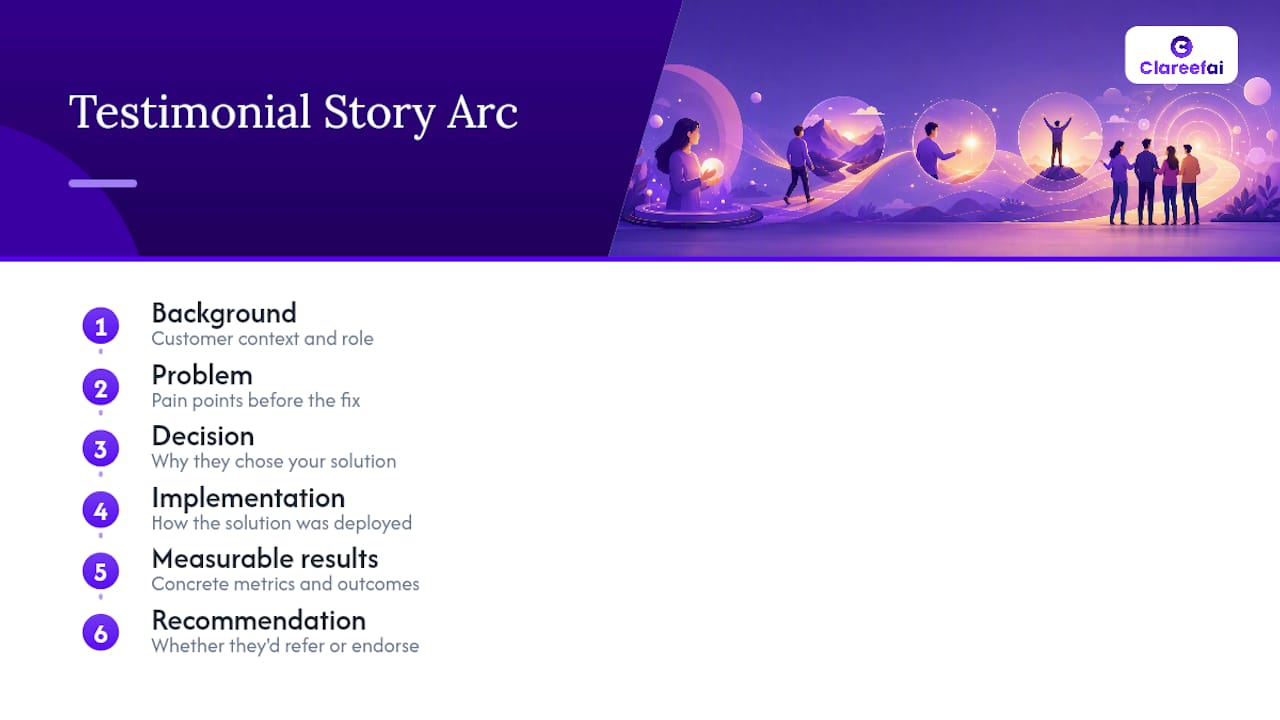
Background and context
Start here to put the customer’s situation in context before asking about the problem.
- “Can you tell us who you are, your role, and a bit about your company?”
- “What did your team or department look like before you found us?”
B2B phrasing often needs a title and company size (“What’s your role, and how big is your team?”). B2C works better with a lighter touch (“Tell us a bit about yourself and what you were dealing with.”).
The problem or pain point
This is where the contrast gets built. Without a clear “before,” the “after” has nothing to compare against.
- “What was the biggest challenge you were facing before you found us?”
- “What had you already tried that didn’t work?”
Overseeros calls this the “failed alternatives” beat in its testimonial interview structure, and it’s often the most persuasive line in the whole clip because it shows the buyer already vetted other options.
Discovery and decision
Prospects watching your testimonial are usually mid-evaluation themselves. This stage answers the question they’re actually asking: “Why did they pick this one?”
- “What made you choose us over other options you considered?”
- “Was there a specific moment that tipped the decision?”
Implementation and experience
Skip this stage and you leave out the part that removes buyer anxiety about switching costs or onboarding pain.
- “What was the process like getting set up or onboarded?”
- “How long did it take before you saw a change?”
Measurable results and ROI
This is the stage that separates a warm compliment from a sales asset. VeedYou’s guide argues that question choice, not production polish, is what actually drives conversion, and results questions are where that shows up.
- “Can you share a specific result, in numbers or a percentage, since working with us?”
- “How has this affected your team’s time, cost, or output?”
Ask for a range if an exact figure feels risky to the customer: “roughly how much time” instead of “exactly how many hours.” You’ll still get something quotable.
Advocacy and recommendation
Close on the line that does the actual selling: the direct recommendation.
- “Who would you recommend this to, and why?”
- “What would you tell someone who’s on the fence?”
Pick one or two questions per stage, not all twelve.
How to Phrase Testimonial Interview Questions So Answers Sound Real
The single biggest mistake in testimonial interviews isn’t a bad question. It’s a leading one that lets the customer answer with a nod instead of a story.
- Swap yes/no questions for open prompts. “Did you like working with us?” becomes “What was it like working with us?”
- Swap assumption-loaded phrasing for neutral phrasing. “How much did we save you?” assumes a positive answer before the customer speaks; “What changed with your budget?” lets them tell you.
- Ask for the number, not the adjective. “Was it faster?” becomes “How much faster, roughly?”
- Ask for the “who else.” “Who on your team was involved in that decision?” often surfaces a second, unplanned quotable line.
Vidlo’s guide groups its entire framework around this same idea: avoid yes/no formats, and let the narrative do the convincing.
Follow-up prompts matter more than the original question. If a customer says “it saved us a lot of time,” don’t move on. Push gently:
- “Roughly how much time, would you say, per week or per project?”
- “What did that time get spent on before?”
- “Was there a specific week or month where you noticed the change?”
- “Walk me through what changed in your actual workflow.”
Coach your interviewer to sit through a few seconds of silence after each answer. Customers often add the best line right after they think the question is done.
Outreach, Recording Basics, and Consent Checklist
A great question list falls apart if the logistics are sloppy. Build a short checklist before you ever hit record.
Outreach and briefing. Reach out to customers who’ve given a strong reference, high NPS score, or an unprompted compliment to your sales team. Send a briefing email with the full question list, an estimated 20 to 30 minute time commitment for the raw interview, and a short technical checklist (webcam or phone camera, quiet room, stable internet if recording remotely). Growigami recommends treating the raw interview as a longer session even though the final edit runs 60 to 90 seconds, since extra footage gives editors room to work.
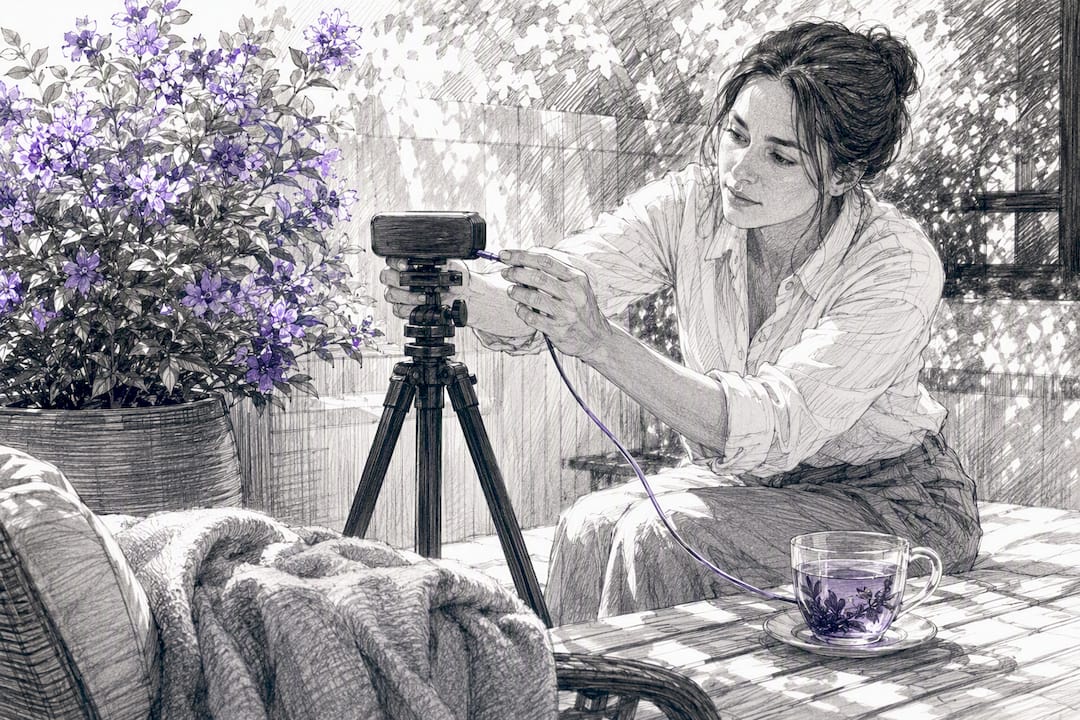
Recording basics. Face a window or a soft light source, not a bare ceiling light. Use an external mic or a lapel mic if you have one; phone audio without one often sounds thin. Frame the customer from the chest up, slightly off-center. For remote shoots, Riverside or Zoom both record local high-quality tracks that hold up better than a standard video call recording.
Legal and consent checklist.
- Signed release form granting permission to use the footage in marketing.
- Written note of any compensation, discount, or gift given in exchange for the testimonial.
- A disclosure line in the video or its caption when compensation was involved, in line with the FTC’s endorsement guidelines.
- Confirmation the customer approved the final cut before publishing.
Pro Tip: Keep the interview conversational, not scripted. Read the questions off a printed sheet instead of a teleprompter, and let the customer’s phrasing stay rough. Polished-sounding answers often come across as rehearsed, which undercuts the authenticity you’re trying to capture.
Testimonial Interview Scripts and a Simple Shot List
Three script templates cover almost every testimonial use case.
60 to 90 second hero interview. Six questions: background, problem, decision, implementation, results, recommendation. Record 20 to 30 minutes raw and edit down.
30 to 45 second social clip. Two questions only: the sharpest result, and the recommendation line. This works as a standalone ask if the customer’s time is limited.
Remote or Zoom quick script. Three questions: the problem, one measurable result, one line they’d tell a peer. Keep it under 10 minutes total.
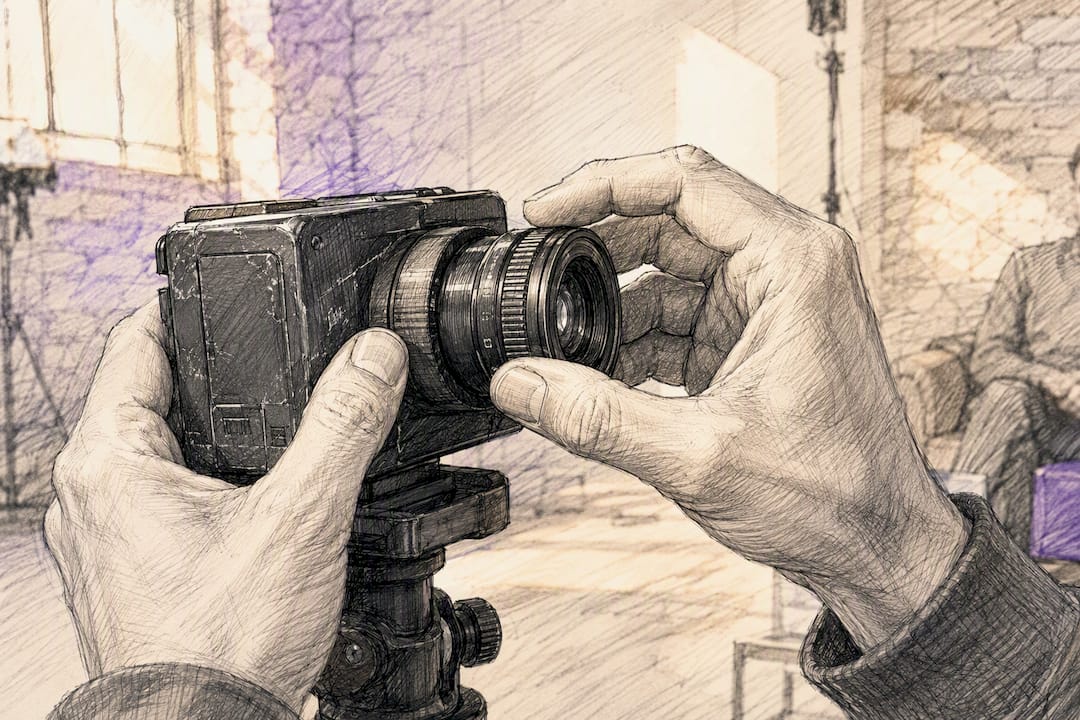
Shot list for in-person shoots: a medium shot of the customer talking, a wide shot of their workspace or storefront for b-roll, a close-up of their hands or a product screen if relevant, and 10 to 15 seconds of silent b-roll for editors to cut over voiceover.
That’s the kind of line worth building an entire clip around. Specific dollar figure, specific before, specific after.
Getting Customers Comfortable on Camera
Most people freeze up on camera not because they lack a good story, but because they weren’t told what to expect.
- Send the full question list at least two days ahead, along with a one-page brief covering: expected length (20 to 30 minutes raw), what to wear (solid colors, no busy patterns), and the setting (quiet room, good light).
- Do a two-minute warm-up before recording. Ask a throwaway question like “What did you have for breakfast?” to get them talking naturally and shake off camera nerves.
- Coach posture and eye line quickly: shoulders relaxed, eyes on the interviewer or the lens, not the notes.
- Remind them it’s fine to restart an answer. Nobody watching the final cut will know how many takes it took.
Pro Tip: Rehearse the topics, not the wording. Have the customer think through their answers beforehand, but never hand them a script to memorize. Memorized answers sound stiff, and stiff answers are the first thing viewers stop trusting.
Turning One Shoot Into Multiple Marketing Assets
A single 20 to 30 minute interview should produce more than one video. Plan the shoot with repurposing in mind from the start, since going back for a second interview rarely happens.
- Hero video (60 to 90 seconds): the full story arc, for a homepage or sales deck.
- Social clips (15 to 30 seconds): the sharpest result or recommendation line, cut for LinkedIn or Instagram.
- Quote cards: pull the strongest sentence as a static graphic for email or slide decks.
- Sales enablement snippets: short clips reps can send pre-demo to build trust before a call.
- Written case study quotes: transcribe the interview and lift lines for a full case study page.
Map question type to asset type: results questions become stat overlays on hero videos, recommendation lines become 15-second clips, and problem/decision answers become the written narrative for a case study.
What actually makes a testimonial memorable
A relatable protagonist, a clear before-and-after, and a number the viewer can picture all matter more than lighting or camera gear. Vague praise fades within seconds; a customer saying “we cut onboarding from three weeks to four days” sticks. What often gets missed is that the emotion in a testimonial comes from specificity, not enthusiasm. Verified context and organized distribution are what let a strong fifteen-second answer actually reach the prospects who need to see it, rather than sitting unused in a folder.
Turning Testimonial Footage Into a Repeatable Sales Asset
Every checklist in this guide solves for one interview. The harder problem is running this process across dozens of customers without losing track of releases, verification, or which clip belongs on which page. Clareefai organizes that entire workflow: it identifies which customers are your strongest advocates, manages the release and disclosure paperwork, and automatically publishes verified video testimonials to your website, CRM, and sales decks as new footage comes in.
If your team is already running interviews using the question sets above, the next step is putting that footage to work without a spreadsheet tracking who signed what. Take a look at how unified testimonial management helps sales teams turn verified video answers into assets that show up automatically where prospects are already looking, from product pages to pre-demo emails.
Frequently Asked Questions
What should a video testimonial include? A strong video testimonial includes the customer’s background, the problem they faced, why they chose your solution, what implementation looked like, a measurable result, and a direct recommendation. Missing the “before” or the number usually weakens the whole clip.
What are the top 5 questions to ask for a video testimonial? What problem were you facing before us? What made you choose us? What changed once you started using it? Can you share a specific result or number? Who would you recommend this to? These five cover the full story arc in under 10 minutes.
Can you give an example of a good testimonial video answer? A strong answer sounds like: “Before this, our reference calls took two weeks to schedule. Now it’s same-day, and we’ve closed three deals faster because of it.” It names the before, the after, and a specific number.
Do I need a signed release form for a video testimonial? Yes. A signed release form protects your ability to use the footage across marketing and sales channels, and it should be paired with a disclosure statement any time compensation or a gift was involved, per FTC endorsement guidelines.
How long should a customer testimonial interview take? Plan for 20 to 30 minutes of raw recording even though the final edited hero video usually runs 60 to 90 seconds. The extra footage gives editors room to cut a clean, tight story.
Sources
- Testimonial Questions to Ask Your Customers | HubSpot
- 10 ESSENTIAL Testimonial Questions to Ask | Wyzowl
- 12 Client Questions That Create High-Converting Video Testimonials (2026 Guide) | VeedYou
- The Ultimate Guide to Crafting Effective Video Testimonial Questions | Vidlo
Recommended
Share Article
Stay Updated
Get the latest insights on customer advocacy and SaaS growth delivered to your inbox.