Review Collection Playbook for Marketing and CX Teams
Follow seven steps to build a repeatable review collection system: setup, trigger, invite, route, verify, publish, measure. Each step has one job and one owner, which is why the sequence works when a single “send a request after purchase” email doesn’t.
- Setup — connect your CRM, order system, and review destinations before you send a single request.
- Trigger — define the event that starts the ask (delivery confirmed, ticket closed, renewal completed).
- Invite — send a personalized, one-click request through email or SMS.
- Route — split responders by sentiment; happy customers go public, unhappy ones go to a private form.
- Verify — confirm the reviewer actually bought or used the product before publishing.
- Publish — push verified reviews live with schema markup for search visibility.
- Measure — track conversion rate, velocity, and sentiment weekly, then adjust.
Most teams see their first meaningful lift in reviews within 2 to 4 weeks of turning this on. Start with the routing step first. Getting positive and negative feedback split correctly protects your public rating from day one, even before the rest of the funnel is fully automated.
Key Takeaways
A repeatable review collection program depends on defined triggers, a sentiment gate that routes feedback correctly, and weekly measurement against clear KPIs.
| Point | Details |
|---|---|
| Start with routing | Split positive and negative responses before automating anything else. |
| Verify before publishing | Confirm purchase or account activity within 24 to 48 hours of a response. |
| Sequence channels, don’t blast | Use email first, then SMS, to avoid alert fatigue and unsubscribes. |
| Track weekly, review monthly | Watch conversion and velocity weekly; save strategic shifts for monthly reviews. |
| Clareefai automates the funnel | Its verified testimonial handling and analytics dashboards run the setup, verify, and measure steps for you. |
Table of Contents
- What Is Step by Step Review Collection and Why Systematize It?
- How Do You Build the Review Collection Workflow Step by Step?
- What Should Your Review Request Templates Say?
- Which Integrations and Automation Flows Actually Run This?
- When Should You Ask for a Review, and on Which Channel?
- Which Incentives Are Safe, and Which Break Platform Rules?
- How Do You Verify, Moderate, and Respond to Reviews?
- What Metrics Should You Track, and How Often?
- What Does the Research Say About Timing and Method?
- What Mistakes Slow Down Most Review Programs?
- How Clareefai Helps You Run This Playbook Without the Manual Work
- Frequently Asked Questions
- Sources
What Is Step by Step Review Collection and Why Systematize It?
Step by step review collection means treating testimonial gathering as an operating system, not a one-off email blast. Instead of asking every customer at the same 14-day mark regardless of what they bought, you build a program with defined triggers, owners, and checkpoints, then measure it like any other funnel.
The goals are specific: higher review volume, verified authenticity, broader distribution across channels, more photo and video content, and faster response time to negative feedback. You can’t manage what you don’t measure, so track these KPIs:
- Request-to-review conversion rate — the share of invited customers who actually leave a review, typically 5 to 15% for a well-tuned funnel.
- Review velocity — new reviews per week, watched for sudden drops that signal a broken trigger.
- Verified-purchase ratio — the percentage of reviews tied to a confirmed transaction.
- Photo/video capture rate — how often reviewers add visual proof, a strong trust signal for prospects.
- Sentiment mix — the ratio of positive to neutral to negative feedback over time.
This playbook covers post-purchase, post-service, and post-renewal journeys across email, SMS, and in-app channels. High-involvement purchases like enterprise software or major appliances need longer evaluation windows before the first ask, which the timing section below addresses directly.
How Do You Build the Review Collection Workflow Step by Step?
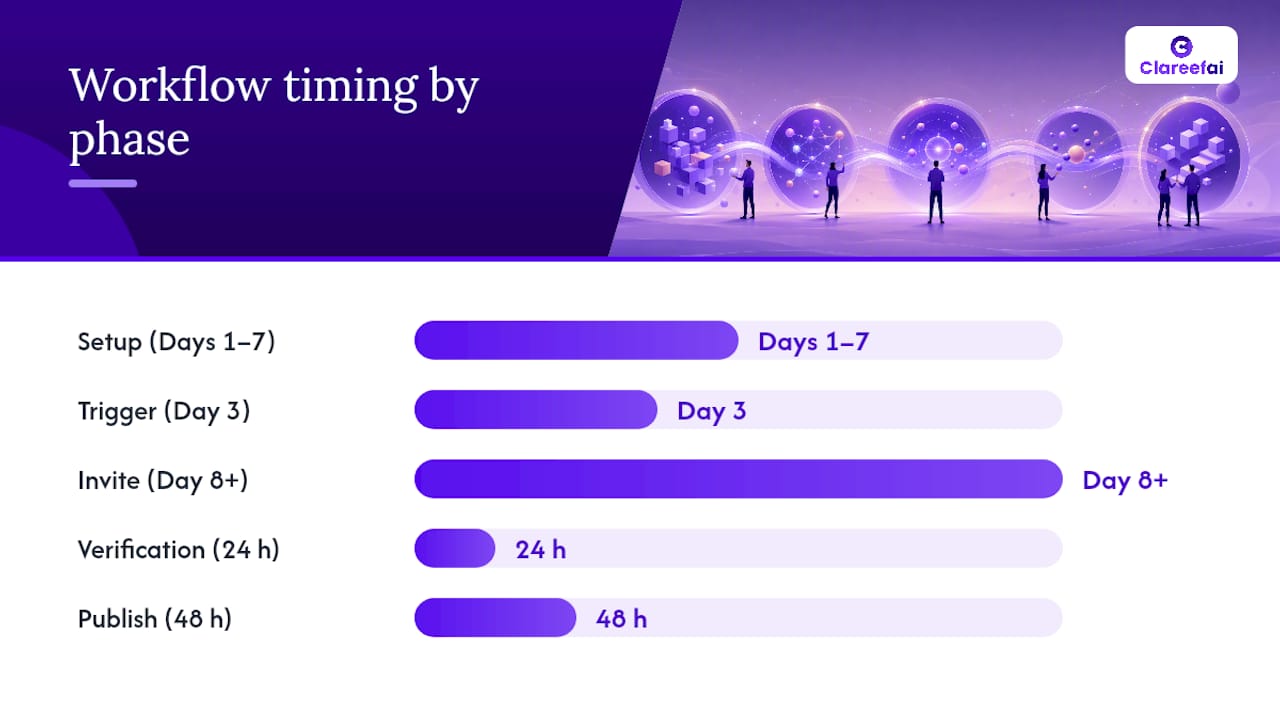
The workflow runs in five phases: setup, trigger, invite, verify, and publish. Each phase needs a clear owner or it stalls the moment someone goes on vacation.
- Setup (Days 1 to 7). Connect your CRM, order or ticketing system, SMS vendor, and review destinations. Marketing ops owns this. Test every integration with a dummy record before going live.
- Trigger definition (Day 3). Pick the event that starts the sequence: purchase complete, delivery confirmed, or ticket closed. CX leadership signs off on timing per product line.
- Invite send (Day 8 onward). The automation fires the first email or SMS. Marketing automation owns copy and cadence.
- Sentiment gate (immediate). Before publishing, route responses through a quick rating question. A four or five star response goes to the public review form. A one, two, or three star response routes to a private feedback form instead. This single decision point protects your public rating and gives CX a chance to fix problems before they go public, a structure described in detail in ReviewGen.AI’s automated funnel guide.
- Verification (within 24 hours). Confirm the reviewer’s purchase or account status. Analytics or ops usually owns this check.
- Publish and syndicate (within 48 hours). Push verified reviews to your website, review platforms, and sales enablement tools. Legal or compliance should spot-check for regulated claims before this step, particularly in finance, health, or B2B software categories.
- Escalation. Any review flagged as spam, fraudulent, or legally sensitive routes to a human reviewer, not an autoresponder.
A realistic rollout timeline runs 7 to 30 days: build your links and triggers in the first week, test end-to-end in week two, and expect early results appearing within 2 to 4 weeks of full activation. For a deeper look at role assignments across these steps, see Clareefai’s step-by-step testimonial workflow.
Pro Tip: Assign a single “funnel owner” who checks the dashboard weekly for broken triggers. Most review programs don’t fail because of bad copy. They fail because a webhook silently stopped firing three weeks ago and nobody noticed.
What Should Your Review Request Templates Say?
Keep every message short, personal, and one click away from action. Here’s copy you can paste into your automation platform today.
- Email subject lines to A/B test: “How did we do, [First Name]?” versus “Quick favor, [First Name]? (30 seconds)”
- Initial email body: “Hi [First Name], you’ve had [Product] for two weeks now. Mind sharing a quick review? [One-click link]. Takes about a minute.”
- Reminder email (sent 5 days later, only to non-responders): “Hi [First Name], just checking in. If you have 30 seconds, your review helps other customers just like you. [One-click link].”
- SMS template: “Hi [First Name], it’s [Brand]. Loving your [Product]? Leave a quick review here: [short link]. Reply STOP to opt out.”
- In-app popup: “Enjoying [Product]? Tap to leave a 1-tap rating.” followed by a star selector.
Personalization tokens, one-click links, and progressive capture (star rating first, written feedback second) consistently outperform long-form request forms because they lower the effort required for the first tap.
If you offer any incentive for leaving a review, disclose it plainly: “This review was submitted after receiving a small thank-you gift, per FTC guidelines.” Never condition the incentive on a positive rating.
Which Integrations and Automation Flows Actually Run This?
Your funnel needs six connections working in sync: CRM, order or delivery status system, SMS vendor, review platform destinations, landing pages, and analytics. Miss one and you get silent gaps.
A sample waterfall flow looks like this:
- Trigger fires (delivery confirmed) → send email.
- Wait 3 days. No response → send SMS nudge.
- Wait 2 more days. Still no response → send final reminder email, then stop the sequence.
- Any response at any point → immediately halt remaining sends and move to the sentiment gate.
This staged approach, often called a waterfall, reduces friction and raises conversion compared with blasting every channel at once. Babylovegrowth is a useful reference for validating each connection before launch.
Pro Tip: Test the full flow with a fake order before your first real customer enters it. Broken triggers usually surface during testing, not during the postmortem.
One easy miss: when a customer opts out of SMS, that preference has to propagate across every connected system automatically, or you risk a compliance complaint from a channel nobody remembered to update.
When Should You Ask for a Review, and on Which Channel?
Ask when the customer has actually formed an opinion, not on a fixed universal delay. A $15 phone case earns an opinion in two days. Enterprise software needs 30 to 60 days before anyone has a real view worth publishing.
Channel roles differ too:
- Email does the heavy lifting: longer copy, richer forms, easy tracking.
- SMS works best as a nudge for non-responders, not the first touch.
- In-product or in-store QR codes capture passive moments, like right after a support ticket closes or a customer checks out at a register.
Fast-value products can run a short single-channel ask. Slow-value or high-involvement purchases benefit from the full waterfall sequence described above, sequenced patiently rather than compressed into 48 hours.
Pro Tip: Cap total touches at three per customer per request cycle. Sequencing channels instead of blasting them simultaneously avoids the alert fatigue that turns an interested customer into an unsubscribe.
Which Incentives Are Safe, and Which Break Platform Rules?
Neutral incentives work. Paying for positive-only reviews doesn’t, and it can get your account suspended on major platforms.
Compliant options include loyalty points for any submitted review regardless of rating, sweepstakes entries, or small thank-you gifts disclosed openly. Avoid anything that implies the reward depends on a favorable score.
Gamification examples that scale well: photo-submission contests with a monthly prize, or in-store QR codes tied to a small discount on the next visit. The trade-off is real: contests can spike volume fast but need careful monitoring to avoid attracting reviewers who only want the prize.
- Always disclose incentives in the review itself or on the platform’s terms.
- Never make the incentive contingent on a positive rating.
- A/B test incentive types against a no-incentive control group to confirm you’re not skewing sentiment.
| Incentive Type | Compliance Note |
|---|---|
| Loyalty points for any review | Compliant if offered regardless of rating |
| Sweepstakes entry | Compliant with clear disclosure |
| Payment for 5-star reviews only | Violates most platform terms and FTC guidance |
How Do You Verify, Moderate, and Respond to Reviews?
Every review needs three checks before publication: confirmed purchase or account activity, metadata capture (date, product, channel), and photo or video validation if media was submitted.
Moderation should let honest negative reviews stand. Flag only spam, profanity, or clear fraud for manual escalation, never criticism you simply don’t like.
- Acknowledge negative reviews publicly within 24 hours.
- Move the conversation to a private channel (email or phone) to resolve the issue.
- Once resolved, post a brief public follow-up confirming the resolution.
Assign a same-day SLA for negative review responses and a 48 hour SLA for verification. Research comparing collection methods shows solicited reviews tend to differ in length and rating from self-motivated ones, which is exactly why a consistent verification process matters more than trying to control the outcome. For deeper verification protocols, see Clareefai’s step-by-step testimonial verification guide.
What Metrics Should You Track, and How Often?
Track five primary metrics weekly: request-to-review conversion, verified share, photo/video capture rate, average rating, and review velocity. Watch sentiment trend and platform distribution as secondary signals.
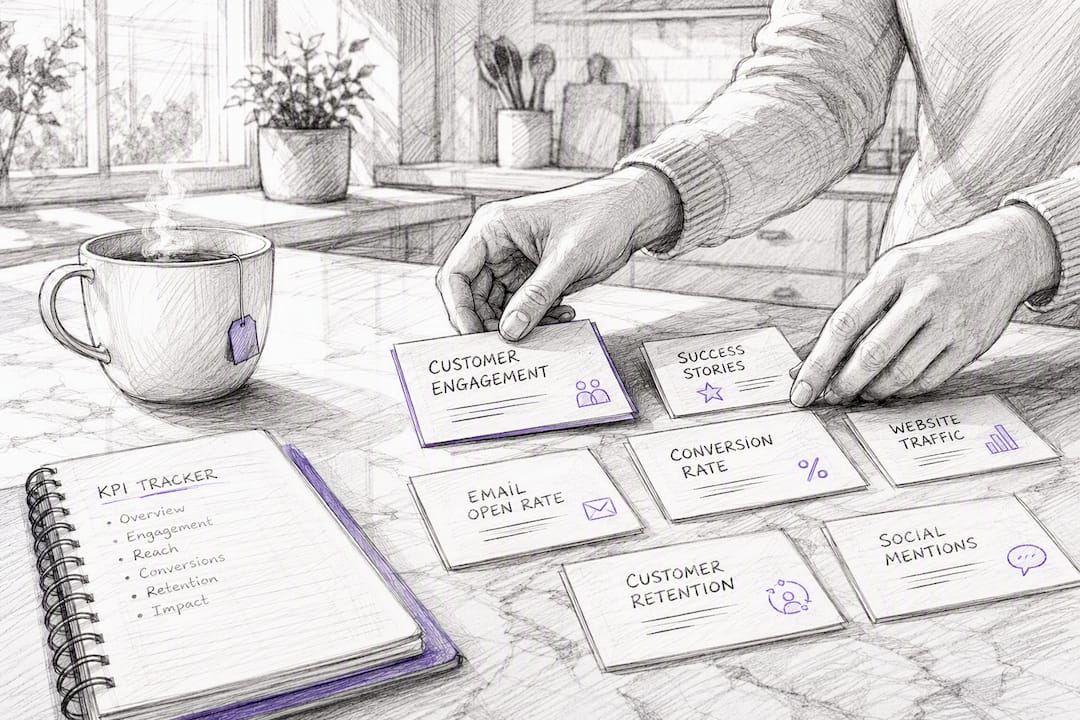
Set a reporting cadence that matches urgency: daily alerts for broken triggers or funnel errors, a weekly KPI digest for the team, and a monthly strategic review with leadership.
To test changes safely, use a simple experiment template:
- Hypothesis — “Sending the SMS nudge on day 2 instead of day 3 increases conversion.”
- Sample — enough customers per arm to detect a meaningful difference, not just a handful.
- Metric — request-to-review conversion rate.
- Runtime — minimum two full weeks to smooth out day-of-week noise.
- Decision rule — adopt the change only if the lift holds across the full runtime, not a single strong day.
Small sample sizes produce false positives constantly. Don’t declare a winner after 20 responses.
What Does the Research Say About Timing and Method?
The collection method you choose changes the reviews you get. Solicited requests, like post-purchase emails, tend to produce different rating and length patterns than reviews left by customers who show up unprompted, according to research on review-collection strategy. That’s a strong argument for standardizing your ask rather than leaving it to chance.
Fresh, verified content also matters more than it used to. G2’s 2026 AI Search Insight Report points to AI-driven buyer discovery increasingly favoring recent, structured, verified reviews over static or unverified ones, reinforcing why the verification step in this playbook isn’t optional.
What Mistakes Slow Down Most Review Programs?
The most common mistake is one-size-fits-all timing: sending every customer the same 14-day email regardless of whether they bought a $10 item or signed a six-figure contract. The fix is simple: set trigger delays per product category, not per company-wide default.
The second mistake is skipping verification entirely, which lets skeptical prospects dismiss your reviews as unverifiable. The third is blasting every channel simultaneously instead of sequencing a waterfall, which burns goodwill fast.
Teams that phase their rollout, starting with routing and verification before adding SMS and gamification, see steadier gains than teams that try to launch everything in week one.
How Clareefai Helps You Run This Playbook Without the Manual Work
Clareefai is the operational layer for teams who’d rather run this seven-step sequence through software than stitch it together with spreadsheets and five disconnected tools.
The platform automates collection and routing so the sentiment gate, reminders, and escalation happen without someone manually checking inboxes. It verifies customer identity before any testimonial goes live, addressing the authenticity gap that makes prospects skeptical of anonymous reviews in the first place. And its analytics dashboards give sales and marketing leaders the same conversion, velocity, and sentiment metrics covered above, mapped directly to revenue impact.
If you’re managing this process by hand today, start with a demo of the platform to see how automated routing and verified testimonials would slot into your existing CRM and order system.
Frequently Asked Questions
How long does it take to see results from a review collection program? Most teams see a measurable increase in review volume within 2 to 4 weeks of activating an automated funnel, assuming triggers and routing are configured correctly from day one.
What’s the difference between review collection and review management? Review collection is the process of soliciting and gathering reviews through triggers and invites. Review management covers what happens after: moderation, response, publishing, and using reviews for sales enablement.
Do I need separate templates for email and SMS? Yes. SMS copy needs to be shorter and more direct, typically under 160 characters, while email can carry more context and a clearer one-click link.
How do I handle a customer who leaves a negative review after receiving an incentive? Respond the same way you would any negative review: acknowledge quickly, move to a private channel, and resolve before following up publicly. The incentive doesn’t change your obligation to accept honest feedback.
Sources
- Reviewgen
- 7 Best Strategies To Collect Product Reviews (2026) | Yotpo blog
- How review-collection strategy affects review ratings and length (Orserv study)
Recommended
- Review Management Strategies 2025: Your Complete Playbook | Clareefai Blog
- Building Trust with Reviews: A Practical Guide for Marketing and CX Teams | Clareefai Blog
- Why Review Context Is Your B2B Conversion Edge in 2026 | Clareefai Blog
- Step-by-Step Testimonial Workflow for Marketing & Sales | Clareefai Blog
Share Article
Stay Updated
Get the latest insights on customer advocacy and SaaS growth delivered to your inbox.