B2B Sales Teams: Verified Testimonial Integration, Consent and Mapping
B2B Sales Teams: Verified Testimonial Integration, Consent and Mapping
Yes, you can automate testimonial capture into your CRM today, and you don’t need a custom build to start. The fastest route is pairing a native connector or middleware tool like Zapier with mapped CRM fields (author, deal ID, permission status) so every request, response, and approval lands in the same record your sales team already trusts. Additional platforms add verification and automated publishing on top of that foundation for teams ready to scale it.
TL;DR:
- Using native connectors, middleware, or APIs depends on your volume, system complexity, and need for customization, with higher volume and compliance favoring direct API builds.
- Triggers for testimonial requests work best immediately after a deal closes or a high NPS score, with strict controls on timing and consent to avoid customer fatigue or privacy issues.
- Structuring testimonial data with consistent fields like author details, media links, and consent records ensures easy filtering and legal compliance in your CRM.
- Automations such as post-sale surveys, NPS score prompts, and usage milestone webhooks effectively boost testimonial volume and quality when properly configured.
- Implementing verified, tagged, and CRM-synced testimonial systems aligns marketing and sales efforts, leading to better activation, stronger proof points, and improved win rates.
Table of Contents
- What Does a CRM Testimonial Integration Actually Look Like?
- Native Connectors, Middleware, or a Direct API: Which Fits Your Stack?
- When Should You Ask a Customer for a Testimonial?
- How Should You Structure Testimonial Data in Your CRM?
- What Automation Recipes Actually Work?
- How Do You Get Testimonials in Front of Buyers?
- How Clareefai Handles Verification and CRM Sync
- What I’d Prioritize If I Were Starting Today
- Ready to Move From Manual Requests to a Verified System?
- Sources
- FAQ
What Does a CRM Testimonial Integration Actually Look Like?
A working system follows a simple chain: a trigger event fires, a capture form or survey goes out, the response gets checked for consent and quality, and the result lands as a structured record in your CRM, ready for sales to use. Each step has an owner, and that ownership matters more than the tools you pick.
Capture channels vary by team and customer type:
- Email survey after a support ticket closes or a deal closes won
- Net Promoter Score (NPS) prompts triggered by a score threshold
- In-app prompts tied to a usage milestone
- SMS requests for quick, mobile-first responses
- Short video capture links for customers willing to go on camera
Marketing typically builds the ask and the templates. Customer success vets the response for accuracy and tone. Sales pulls the finished asset into decks and emails. Engineering or ops owns the connectors that move data between the survey tool, the CRM, and wherever the testimonial eventually gets published.
Native Connectors, Middleware, or a Direct API: Which Fits Your Stack?
The right integration method depends on volume, customization needs, and how many systems you’re stitching together, not on which option sounds most advanced.
Native CRM apps are the fastest to deploy. Most testimonial and review platforms document direct integrations with tools like HubSpot, Salesforce, or Zoho, letting you go live in a day. The tradeoff is flexibility. You’re often boxed into preset fields and standard triggers.
Middleware and unified APIs solve that ceiling. Platforms like Zapier handle simple point-to-point automations, while unified CRM APIs can expose dozens to hundreds of connectors and normalize customer data across systems, which matters if you run more than one CRM or plan to switch someday.
Direct API or webhook builds become necessary at higher volume, when you need custom fields, or when compliance rules demand tighter control over where data travels. This path takes longer to build and requires ongoing maintenance, since point-to-point custom integrations tend to be fragile and expensive to keep running compared to platforms with prebuilt connectors.
- Native apps: fast setup, limited customization
- Middleware/unified APIs: broad connector coverage, normalized data, moderate setup time
- Direct API/webhooks: full control, the highest build and maintenance cost
Pro Tip: If you’re running more than two CRMs across regional teams, skip the point-to-point builds entirely. A unified API will save you months of connector maintenance down the line.
When Should You Ask a Customer for a Testimonial?
Timing determines whether a request feels like a natural next step or an intrusion. The best-performing triggers tend to cluster around three moments: right after a deal closes, right after a strong NPS score, and right after a customer hits a usage milestone that proves your product delivered.
Here’s a checklist that keeps requests targeted instead of scattershot:
- Set a delay window after closed-won, typically 7 to 14 days, so the customer has had time to actually use the product.
- Trigger immediately on NPS scores of 9 or 10, while the positive experience is fresh.
- Segment requests by account size and product line so an enterprise customer gets a different ask than a self-serve user.
- Build explicit publishing permission into the request itself, and store that consent record directly in the CRM contact record.
- Cap follow-up attempts at two, spaced a week apart, to avoid survey fatigue that damages the relationship.
Review-management platforms commonly support these exact triggers out of the box, including closed-won, appointment, and NPS-based requests sent by email or SMS.
Pro Tip: Start with two triggers, not ten. Prove ROI on closed-won and NPS-9-plus requests before you automate anything else. It’s the difference between a system you can explain in one sentence and one that quietly breaks.
For a more granular walkthrough of sequencing these asks against customer lifecycle stages, Clareefai’s step-by-step testimonial workflow breaks down the timing decisions in more detail.
How Should You Structure Testimonial Data in Your CRM?
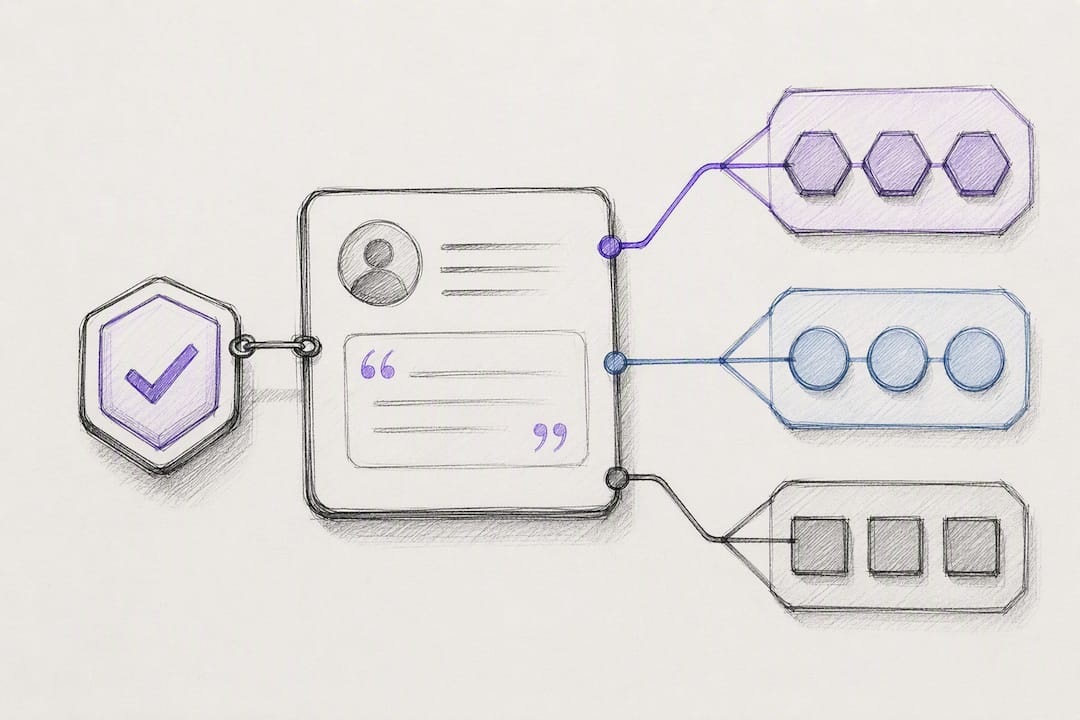
Treat a testimonial like any other CRM object, not a loose attachment. That means giving it a consistent field structure so it’s searchable, filterable, and usable by anyone on the sales team without a Slack message to marketing.
A workable field list includes:
- Testimonial text (the actual quote or transcript)
- Author name, title, and company
- Associated deal ID or account record
- Date collected
- Media URL (for video or image assets)
- Permission/consent status
- Sentiment or use-case tag (product line, region, buyer persona)
One detail trips up a lot of teams: don’t store large video or image files directly in CRM fields. Hosting media externally and storing canonical URLs in the CRM avoids size limits and keeps your CDN, not your CRM, handling delivery.
Tag consistently by product, region, and persona so a sales rep can filter for “enterprise, healthcare, cost savings” in seconds. Keep consent records tied to the same record indefinitely, since you’ll need proof of permission if a customer ever asks what’s public. For Salesforce specifically, Clareefai’s guide on mapping testimonials into Salesforce covers field-level setup in more depth.
What Automation Recipes Actually Work?
These four patterns cover most of what a mid-size sales or CS team needs, and each one can be built with off-the-shelf tools before you consider a custom build.
- Email survey to testimonial record. A post-close survey response triggers a new testimonial record, notifies the assigned CSM, and drops the entry into an approval queue for review before anything goes public.
- NPS-triggered video request. A score of 9 or 10 auto-sends an SMS with an upload link for a short video testimonial, capturing enthusiasm while it’s fresh.
- Delayed closed-won request. Seven to fourteen days after a deal closes, a targeted request goes out with sample prompts tailored to that customer’s use case, rather than a generic “how are we doing” email.
- Product event webhook. A usage milestone fires a webhook that creates a request in your review tool, and once approved, the testimonial syncs back into the CRM automatically.
Testimonial platforms that integrate with major CRMs report that this kind of automation directly improves feedback volume and consistency compared to manual outreach.
Pro Tip: When building the webhook recipe, add idempotency keys and a daily reconciliation job. Failed media transfers and deleted source records happen more often than most teams expect, and a nightly check catches what the webhook silently misses.
How Do You Get Testimonials in Front of Buyers?
Collecting testimonials only pays off if sales and marketing can actually deploy them at the moment a prospect is deciding. That means building activation into the same system that captures the data, not treating publishing as a separate project.
- Embed widgets, whether script-based or via a headless API, that pull verified testimonials filtered by role, industry, or use case.
- Give reps one-click insertion of testimonial snippets and proposal tokens directly from the CRM contact record, so they’re not hunting through folders mid-deal.
- Track activation metrics: how often snippets get inserted, page views on testimonial-heavy pages, and demo requests that followed exposure to proof.
- Format for scanability: a short quote, the author’s role, and one measurable outcome beats a long paragraph every time.
Social proof placed at the right funnel stage measurably lifts engagement, which is exactly why activation deserves as much planning as collection.
How Clareefai Handles Verification and CRM Sync
Clareefai’s platform sits on top of the architecture described above and adds two layers most DIY stacks skip: identity verification and AI-driven promoter identification, which flags which customers are most likely to give a strong, publishable testimonial before you even ask.
- Verification confirms the person behind a testimonial is a real, identifiable customer, not an anonymous quote.
- AI promoter identification scores customer accounts to surface your best advocates automatically.
- Role-based dashboards let sales, marketing, and management each see the data relevant to their work.
- CRM sync keeps testimonial records current in both directions, using the same webhook and field-mapping patterns covered earlier.
Clareefai’s use case on unified testimonial management shows how consolidating scattered testimonial sources into one verified system connects directly to stronger win rates in competitive deals. Teams with complex sync needs, like multiple CRMs or custom field structures, typically bring in implementation support rather than building bi-directional sync from scratch, since specialists who handle field mapping and data normalization can shortcut months of trial and error.
What I’d Prioritize If I Were Starting Today
Start with two triggers, not ten. Closed-won and high-NPS responses give you the fastest signal on whether automation is actually working, and you can layer in more complexity once those two prove out.
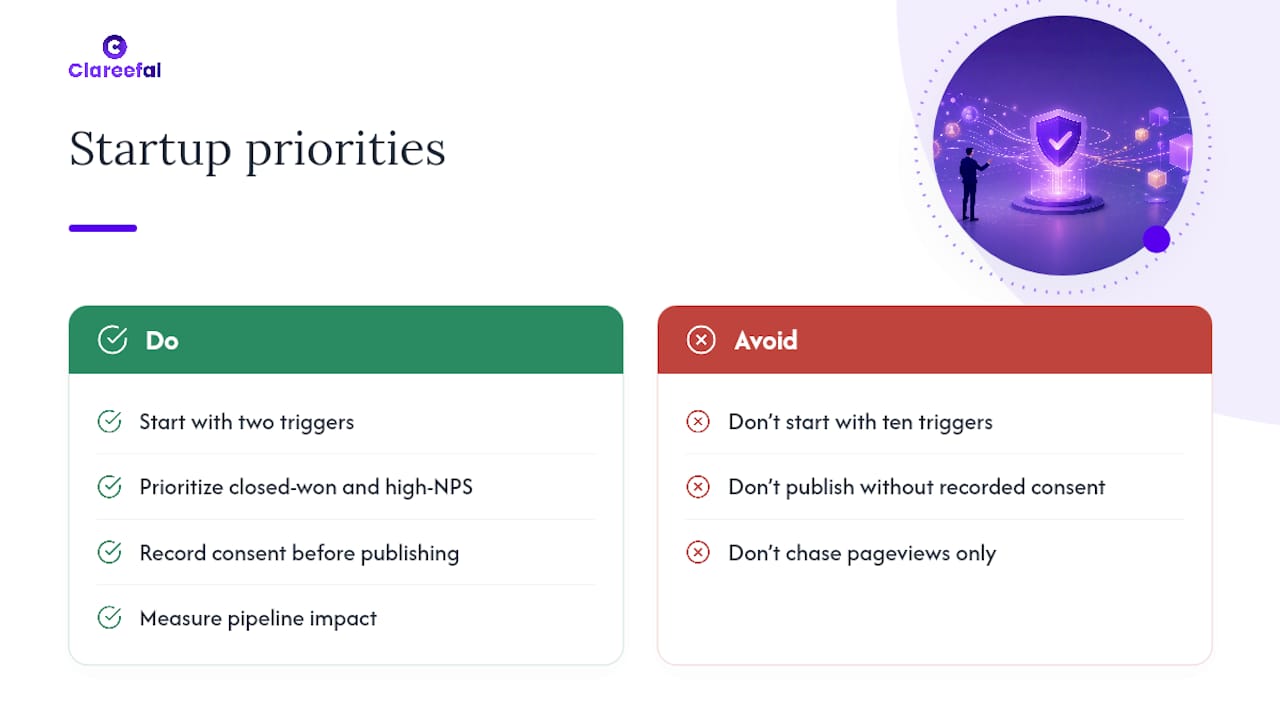
Verify and record consent before anything goes near a public page. Skipping this step is the single most common regret teams describe once a testimonial gets flagged by the customer who gave it.
Measure pipeline impact, not vanity metrics. A testimonial that gets inserted into three proposals and influences a closed deal matters more than one that racks up page views and does nothing else.
— ClareefAi
Ready to Move From Manual Requests to a Verified System?
If you’ve been chasing testimonials through email threads and spreadsheet trackers, the jump to a structured, CRM-synced system is where most of the time savings show up. This approach fits mid-size to enterprise B2B sales teams that need testimonials that are verified, tagged, and ready to publish, not just collected and forgotten in a folder.
You can see how the pieces fit together on the platform overview, or go straight to plan details on the pricing page, where Basic starts at $250 per month, Professional at $624 per month, and Enterprise at $1,250 per month. If you’d rather test the waters first, the free plan lets you experience the core workflow before committing to a paid tier. Teams managing advocacy across sales, marketing, and leadership can also check the role-based solutions built for each function. Whichever path fits your team, the next step is simple: pick a plan or start free, and get your first verified testimonial synced into your CRM this week.
Sources
FAQ
What Is the Best Tool for Collecting Testimonials?
The best tool depends on whether you need simple collection or verified, sales-ready assets. For teams that want identity verification, AI-driven promoter identification, and direct CRM sync, Clareefai is built specifically for that use case, while simpler survey tools work fine for basic feedback collection.
What Are the Top CRM Tools for Managing Testimonials?
HubSpot, Salesforce, and Zoho are among the most common CRMs that testimonial platforms integrate with natively, according to Trustmary. The right choice depends less on the CRM itself and more on whether your testimonial tool offers a native connector, middleware support, or API access for that platform.
Do I Need Permission to Use Customer Testimonials?
Yes. You need explicit consent before publishing a customer’s name, quote, or likeness anywhere public, and that consent should be captured and stored alongside the testimonial record itself. Building the permission request into your capture form, then logging the response in the CRM, keeps you covered if a customer’s approval status is ever questioned.
What Makes a Testimonial Effective for Sales?
The strongest testimonials pair a specific, measurable outcome with a credible role and company, rather than vague praise. A quote like “cut onboarding time by half” from a named VP of Operations carries far more weight in a proposal than an unattributed line about being “very happy with the product.”
How Much Does Clareefai Cost?
Clareefai offers a Basic plan at $250 per month, a Professional plan at $624 per month, and an Enterprise plan at $1,250 per month, all listed on the pricing page. A free plan is also available for teams that want to try the core workflow before upgrading.
Recommended
Share Article
Stay Updated
Get the latest insights on customer advocacy and SaaS growth delivered to your inbox.