90 Day Rollout for Salesforce Reference Management for Revenue Teams
The fastest way to make customer references reliably available to reps is a Salesforce-native request workflow paired with a verified testimonial platform. Salesforce handles the record tracking and Trailhead-backed data hygiene, while a platform like Clareefai handles matching, consent, and publish-ready proof. Together they cut reference turnaround time and give revenue leaders a clean line from advocate to closed deal.
TL;DR:
- Using Salesforce-native workflows with a verified testimonial platform can significantly reduce reference turnaround time and improve data hygiene.
- Automating request, consent, approval, and logging processes within Salesforce prevents delays and ensures all reference data is linked to the appropriate opportunity and contact records.
- Teams should choose integration methods—native packages, API connectors, or middleware—based on their size, volume of requests, and need for publish-ready assets, to minimize future maintenance issues.
- Maintaining clean, deduplicated advocate data through scheduled cleansing and established governance is critical for accurate AI-driven reference matching.
- Success metrics include response rate, time to first reference, reference-enabled opportunities, and revenue impact, tracked through dashboards aligned with sales and marketing goals.
Table of Contents
- What Salesforce Reference Management Actually Covers
- How Do You Request and Fulfill a Reference in Salesforce?
- Which Integration Pattern Fits Your Salesforce Setup?
- Why Data Governance Determines Whether Matching Works
- What Metrics Prove Your Reference Program Is Working
- Your 90-Day Rollout Plan
- The Clareefai Perspective on Reducing Reference Friction
- Build In Salesforce or Adopt an Integrated Platform?
- See What Clareefai Can Do for Your Reference Program
- Where to Go Deeper on the Technical Side
- Sources
What Salesforce Reference Management Actually Covers
Salesforce reference management is the practice of collecting, verifying, matching, and delivering customer references inside the same system your reps already used to close deals. It’s not a separate spreadsheet or a Slack thread with your customer marketing team. Done right, it lives in the CRM record, attached to the opportunity and contact it supports.
This matters because reference data in Salesforce touches more than one team, and each has a distinct job:
- Sales ops owns the request workflow and field structure that ties a reference to an opportunity.
- Customer success identifies which accounts are healthy enough, and willing enough, to say yes.
- Customer marketing turns approved references into case studies, quotes, or video testimonials.
- Legal and compliance manages consent language and how long you can keep and reuse a customer’s words.
The primary use cases split into four buckets: live reference calls for late-stage deals, written case studies for marketing, public testimonials for the website, and review syndication across third-party sites. Most teams start with reference calls because that’s where deals stall, then expand into the other three once the workflow proves itself.
How Do You Request and Fulfill a Reference in Salesforce?
A clean fulfillment workflow removes the guesswork that usually kills reference programs, the endless “who do we ask” and “did they ever respond” cycle that burns weeks off a sales cycle.
- Select pilot opportunities. Start with several active deals in late stages, where a reference will actually move the needle.
- Nominate advocates. Pull candidates from renewed or high-NPS accounts, flagged by customer success in the account record.
- Send a templated request from Salesforce. Trigger an email or task directly from the opportunity or contact record, not from a separate tool.
- Capture the response and consent. Log a timestamp and store the specific permission granted, whether it’s a call, a quote, or a public logo use.
- Route for approval and scheduling. Give customer marketing or CS a quick approval step before anything goes to a prospect.
- Log the outcome on the opportunity. Record whether the reference call happened and note its impact on deal velocity.
On the object side, link requests to both the Opportunity and Contact records, add custom fields for request status (Requested, Confirmed, Completed, Declined), and store the consent timestamp as its own field rather than burying it in a note.
Pro Tip: Before rolling this out to your full team, run the entire workflow in a sandbox with five test records. Salesforce’s guidance on managing data at scale recommends full-copy sandbox testing for exactly this reason: automation mistakes are cheap to fix before they touch real customer data, expensive after.
Which Integration Pattern Fits Your Salesforce Setup?
Integrating references in Salesforce comes down to three patterns, and picking the wrong one usually shows up six months later as a maintenance headache.
- Native AppExchange package. Fastest to deploy, minimal engineering lift, but you’re working within the app’s data model. Reference management listings on AppExchange typically bundle request templates, scoring, and basic analytics out of the box.
- API-based connector. More flexible field mapping and control over sync timing, but it requires developer resources to build and maintain.
- Middleware or ETL. Best when you’re also pulling reference data from marketing automation or a data warehouse, at the cost of another system to monitor.
Whichever pattern you choose, expect the automation layer to handle scoring and matching advocates to prospect profiles, route approvals automatically, and publish approved testimonials to marketing channels without a manual export step. Before going live, confirm authentication method, field mapping between systems, sync frequency, and error handling processes. That last piece gets skipped more often than it should.
Why Data Governance Determines Whether Matching Works
Duplicate contact records and stale advocate data are the single biggest reason AI-driven reference matching produces bad recommendations. Salesforce’s Trailhead module on data management treats deduplication and scheduled cleansing as foundational habits, not optional housekeeping.
A handful of controls keep your reference pool trustworthy:
- Dedupe rules that run on a schedule, not just at data entry.
- A documented data dictionary defining every advocate field and what it means.
- Sandbox testing for any schema change before it hits production.
- Scheduled backups so a bad automation run doesn’t cost you a quarter’s worth of consent records.
On the developer side, the ReferenceDataLoadLog object tracks who loaded what data and when, using fields like LoadedById and OwnerId, useful when you need to audit a bulk import after the fact. For indexing uploaded reference documents so they’re searchable inside Salesforce, SearchableReferenceDocumentDmo uses fields like ContentDocumentId and IndexStatus to confirm a document is actually indexed, not just uploaded and forgotten.
What Metrics Prove Your Reference Program Is Working
Revenue leaders don’t care how many references you collected. They care whether references influenced deals. Track these:
- Response rate, the share of nominated advocates who agree to participate.
- Time to first reference, from request sent to reference delivered.
- Number of reference-enabled opportunities, deals where a reference was actually used.
- Influenced revenue, the dollar value of closed deals tied to a completed reference.
Instrument these with custom fields on the opportunity for reference status and a lookup relationship back to the reference record itself, so you can trace opportunity lineage from request to close. Build a dashboard that refreshes weekly for the reference team and a quarterly rollup for sales leadership. Nothing kills program funding faster than an exec asking for impact and getting a shrug.
Your 90-Day Rollout Plan
- Days 1 to 30: Pick your pilot team, set up sandbox testing, and define success criteria with sales ops and CS at the table.
- Days 31 to 60: Roll out automation for matching and approval routing, and start training reps on the new request flow.
- Days 61 to 90: Measure response rate and time-to-first-reference against your baseline, then fix whatever adoption gaps show up.
The most common failure mode isn’t the technology. It’s skipping governance and adoption training, then wondering why reps go back to cold-emailing customers on their own.
The Clareefai Perspective on Reducing Reference Friction
Clareefai organizes, verifies, and displays testimonials while its AI identifies which promoters actually match a prospect’s profile, cutting the manual guesswork out of advocate selection. Halden Systems used Clareefai’s testimonial management and sync features to reduce duplicate CRM and ERP entries, a direct data-quality win that made downstream matching more reliable. For teams executing the checklist above, that maps to real-time sync, GDPR-compliant consent capture, and role-based dashboards that keep sales, marketing, and management looking at the same numbers.
— ClareefAi
Build In Salesforce or Adopt an Integrated Platform?
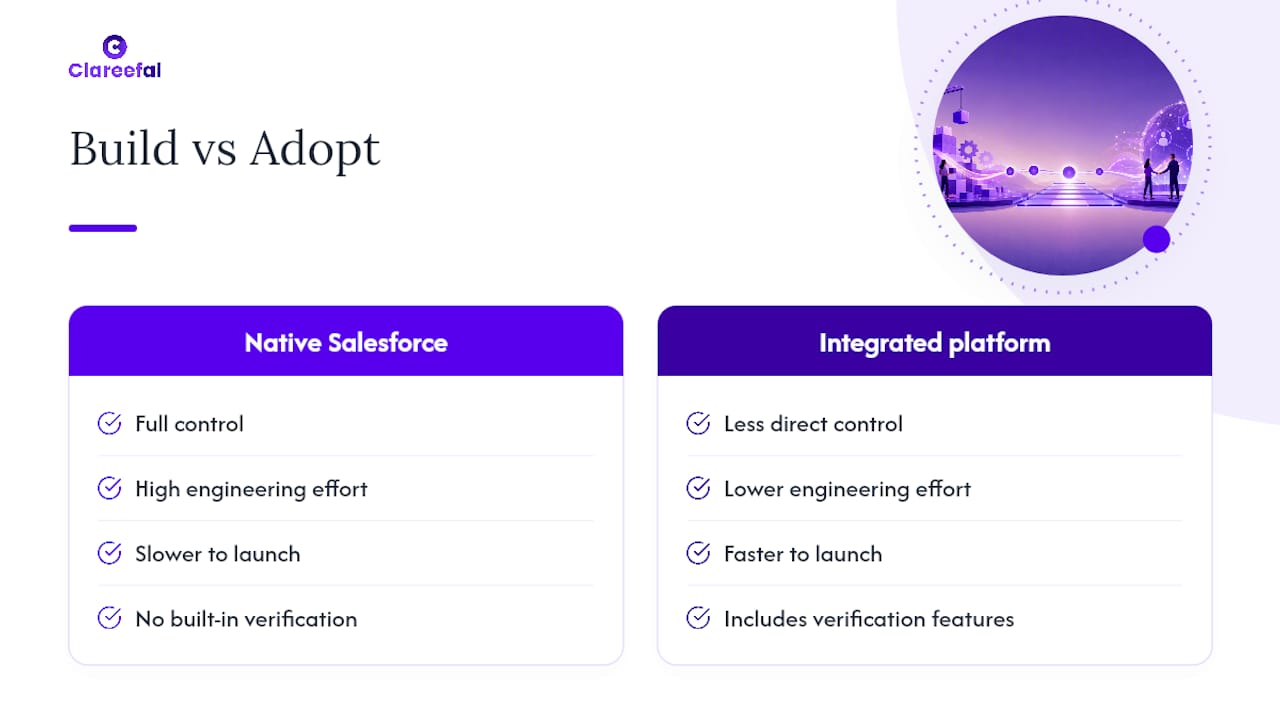
Building everything natively gives you full control, but it costs engineering time you probably don’t have. Adopting an integrated platform trades some of that control for speed and verification features you’d otherwise build from scratch.
Base the decision on org size, request volume, and whether you need publish-ready assets (not just internal records). Small volume, internal-only use? Native Salesforce fields might be sufficient. Growing request volume and a need for verified, publish-ready testimonials? That’s where a platform like Clareefai’s advocacy solutions earns its place, especially when your engineering team has better things to do than maintain a custom sync job.
See What Clareefai Can Do for Your Reference Program
Some platforms handle the parts of reference management that eat the most time: verifying strong advocates, matching them to the right prospect, keeping data synced in real time, and providing role-based dashboards.
Before you book a demo, come with a short list of questions: how does matching score advocates, what does the consent capture flow look like, and how fast does data sync back to your opportunity records? A good pilot metric to set going in is reference response rate uplift over your current baseline, since that’s the number that tells you fastest whether the new workflow is working. Clareefai’s platform overview walks through the core feature set, and you can see documented outcomes from teams already running pilots before you commit to anything. Verified social proof also tends to move engagement numbers in ways partner research on social proof strategies backs up independently. If reference response rate and time-to-close are the metrics your VP actually asks about, start a Clareefai trial and run it against your next pilot opportunity list.
Where to Go Deeper on the Technical Side
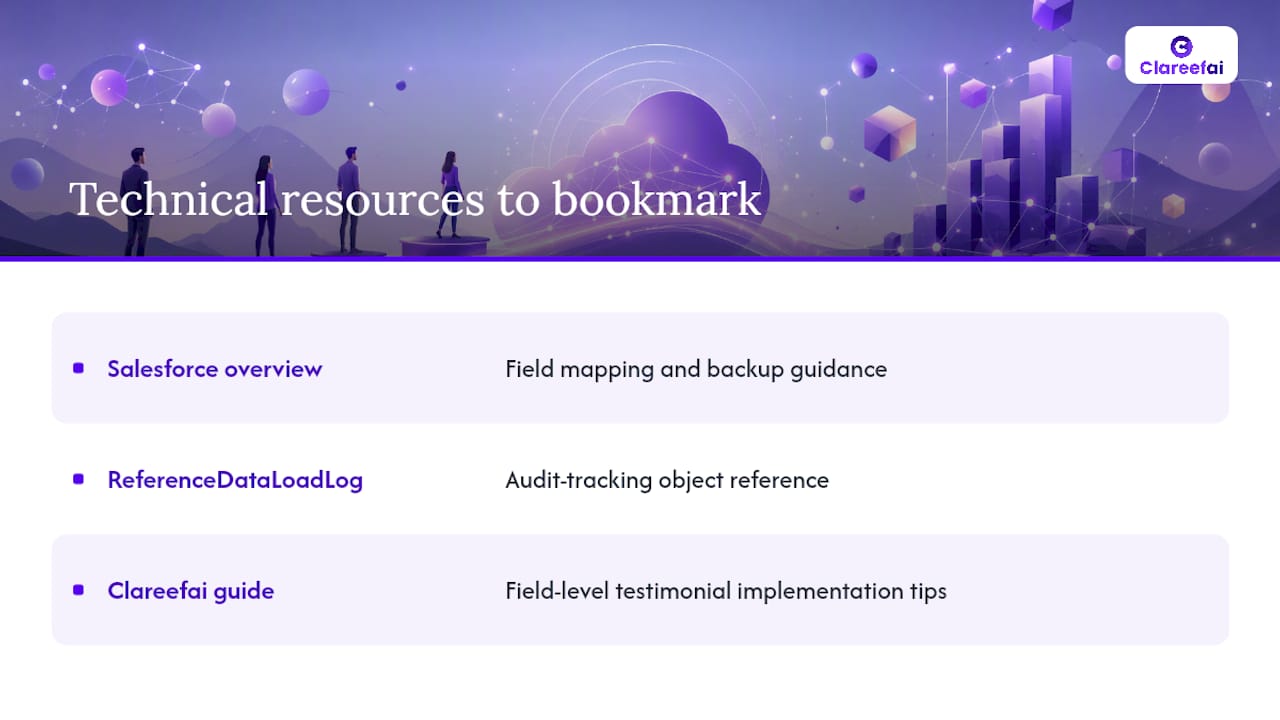
A few resources are worth bookmarking before you build anything: Salesforce’s data management overview for field mapping and backup guidance, the ReferenceDataLoadLog object reference for audit tracking, and Clareefai’s own guide on adding testimonials to Salesforce the right way for field-level implementation tips.
Sources
- ReferenceDataLoadLog | Net Zero Cloud Developer Guide | Salesforce Developers
- Data management — Salesforce
Recommended
Share Article
Stay Updated
Get the latest insights on customer advocacy and SaaS growth delivered to your inbox.